AI · App
BaonBuddy
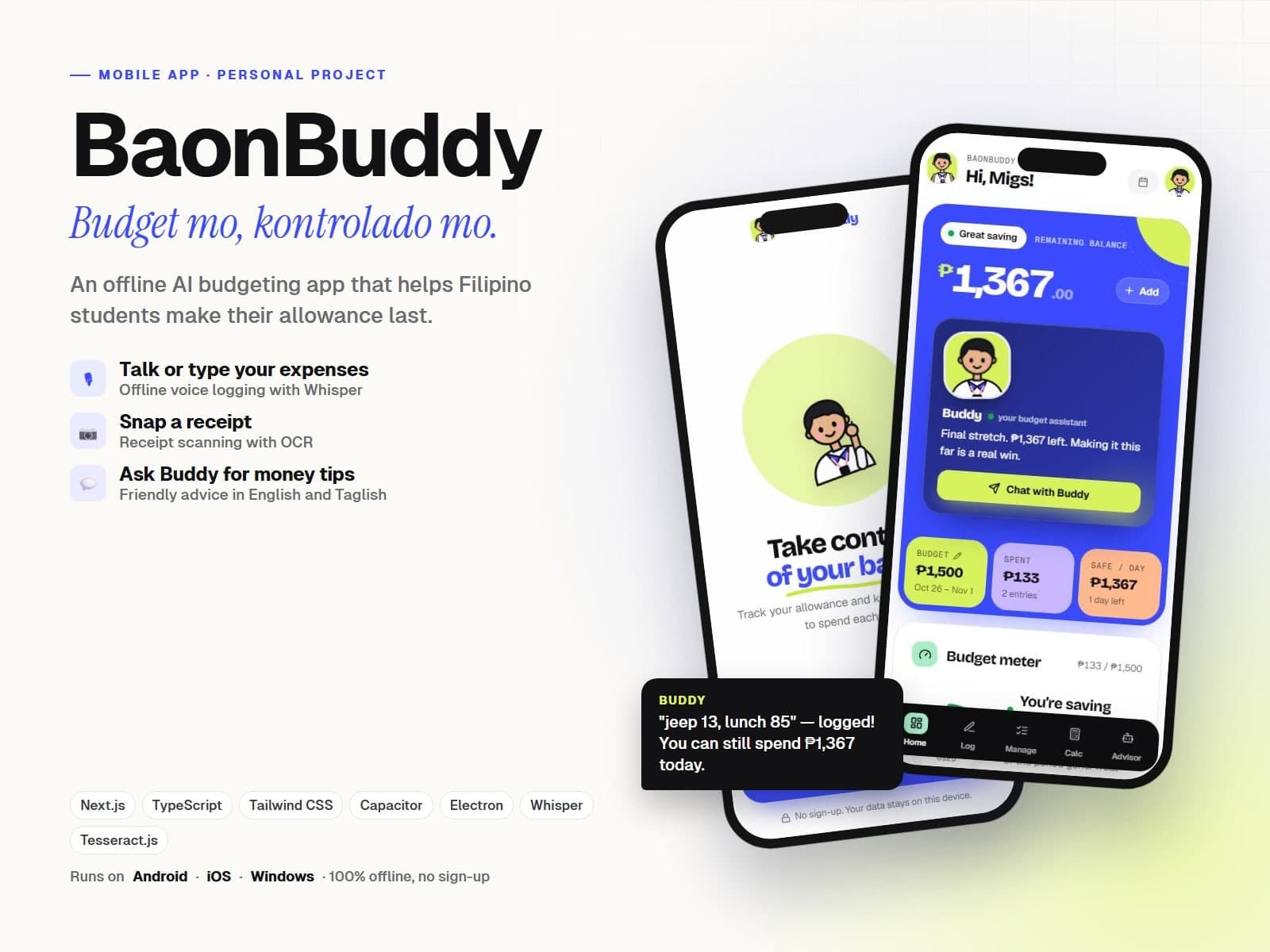
A cheerful baon tracker app for Filipino students — say or snap your gastos, and Buddy keeps your allowance on track with Taglish money advice. Mobile app coming soon.
- Role
- Design & full-stack development
- Timeline
- Personal build
- Type
- Personal project · Mobile app in the works
- Year
- 2026
The problem
Students get their baon weekly or monthly, then run out days early. Spreadsheets feel like homework, so nobody keeps tracking long enough to see where the money goes.
The solution
A playful budget app built around Buddy, a student mascot — running today as a web app, with a mobile version on the way. Log expenses by typing, talking, or scanning a receipt, see exactly how much you can spend per day, and ask Buddy if you can afford that samgyup this weekend.
Where AI fits in
Voice is transcribed by Whisper right in the browser, receipts are read with on-device OCR, and a local LLM rewrites Buddy's advice — while every number comes from exact budget math, so the AI never makes up amounts.
Results
Voice
Offline logging
Snap
Receipt scanning
EN/FIL
Taglish advisor
Technical deep dive
How it's built
Stack
Architecture
- 1Budget, period, and expenses are saved on the device — no account needed
- 2Typed or spoken messages like "jeep 13, lunch 85" are parsed into categorized expenses
- 3Whisper runs in a Web Worker so voice input works fully offline
- 4Receipts are read with Tesseract OCR and checked against the amounts actually printed
- 5Buddy's advisor answers money questions with exact math, using a local LLM only to phrase tips
Key decisions
- Rules first, AI second — parsing and budget math never depend on the model, so the app stays fast and correct
- Everything runs locally, so a student's spending stays private and the app works without signal
- A mascot and bright color-blocked UI so budgeting feels like a game, not a chore
Challenges solved
- Understanding Taglish and casual phrasing like "pamasahe 20 tas milk tea 120"
- Stopping the model from inventing receipt totals — every amount must appear in the OCR text